- Advanced Technologies
- AI Career Advantage Collection
- AI Skills for Creators & Freelancers
- AI Client Management
- AI Ethics
- AI Mindset
- AI Tools & Prompts
- AI Writing & Content Creation
- Audio, Voice & Music
- Design & Visual Creation
- Email, Messaging & Communication
- Freelancing & Business
- Marketing, Ads & Conversion
- Productivity, Workflow & Automation
- SEO & Search Optimization
- Social Media Content & Growth
- Strategy, Planning & Analytics
- Video Creation & Editing
- AI Skills Mastery 2026 Collection
- Apple Accessories
- Armani
- Arts, Crafts & Hobbies
- Bathroom
- Best-Sellers
- Calvin Klein
- Car Accessories
- Dating & Social Skills
- Digital Resources
- AI Skills
- Beauty
- Budgeting & Saving
- Car Buying & Ownership
- Cozy Feast Collection
- Emotional Intelligence
- Entrepreneurship & Business Growth
- Financial Education
- Financial Independence
- Financial Mindset & Psychology
- Goal Setting
- Hobbies
- Home & Living
- Home Styling & Organization
- Leadership
- Mindfulness
- Mindset
- Motivation
- Online Business
- Parenting & Child Development
- Personal Style & Fashion
- Pet Lifestyle & Wellness
- Positive Thinking
- Productivity
- Recipes
- Self Confidence
- Sleep Improvement
- Stress Management & Relaxation
- Travel Planning
- Yoga & Fitness
- Yoga & Mind-Body Practices
- Education & Learning
- Electronics
- Family & Parenting
- Fashion
- Alexander McQueen
- Bags
- Bags & Wallets
- Balenciaga
- Belts
- Blazers
- Bottega Veneta
- Brunello Cucinelli
- Burberry
- Chanel
- Chloé
- Dior
- Dolce & Gabbana
- Dresses
- Etro
- Fendi
- Gucci
- Hats & Hair Accessories
- Jacquemus
- Jewelry
- Jil Sander
- Jimmy Choo
- Kiton
- Luggage
- Miu Miu
- Off-White
- Outerwear
- Prada
- Rick Owens
- Saint Laurent
- Shoes
- Socks & Tights
- Sunglasses
- The Row
- Tom Ford
- Tops & Shirts
- Valentino
- Valentino Garavani
- Versace
- Vivienne Westwood
- Watches
- Fashion Accessories
- Fitness & Yoga Guides
- Furniture
- Gadgets
- Health & Beauty
- Health & Wellness
- Home & Garden
- Home Decor
- Home Supplies
- Kids & Babies
- Kitchen & Recipes
- Lighting
- Nike
- Patio, Lawn & Garden
- Personal Growth
- Pet Care
- Pet Supplies
- Pets
- Smart Home Living Guides
- Sport
- Sport & Outdoors
- St. Valentine's Day
- Super Deals
- Travel
- Video Games
- Wealth
- Wellness


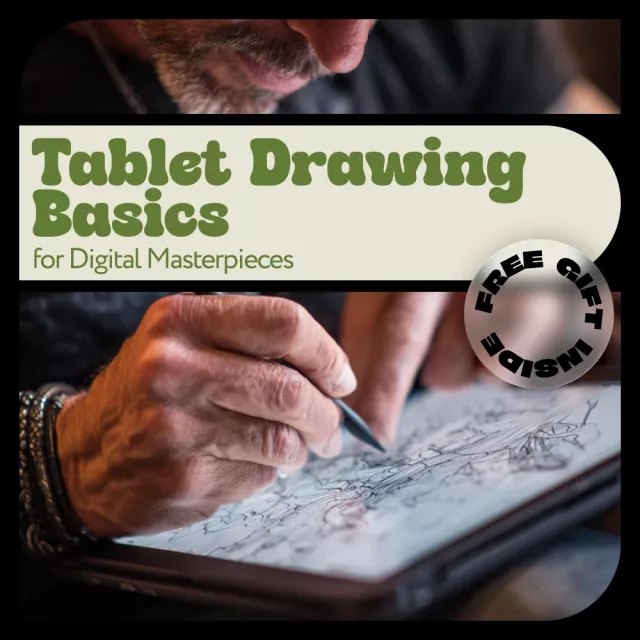
Tablet Drawing Basics for Digital Masterpieces – Beginner-Friendly Digital Art Guide, Step-by-Step Tablet Drawing Basics for Aspiring Digital Artists
Designed in United States
Digital download
Digital file type(s): 1 PDF
Product Description
Bring Your Digital Art Ideas to Life with Confidence
Ready to start creating stunning digital art but not sure where to begin? Tablet Drawing Basics for Digital Masterpieces is a clear, practical guide designed to help you move from confusion to confidence. This easy-to-follow digital guide breaks down tablet drawing basics into simple steps, so you can focus on creating instead of guessing. Whether you are opening a drawing app for the first time or struggling to improve your workflow, this guide gives you a strong foundation for digital success.
What’s Inside This Digital Guide
- Chapter 1: Getting Started with Tablet Drawing, including understanding tablet drawing, choosing the right tablet, and clearing up common beginner misconceptions
- Chapter 2: Essential Tools and Setup, covering drawing tablets, pen displays, software options, and workspace setup
- Chapter 3: Drawing Techniques and Tips, featuring basic strokes, brush control, layers, colors, blending, and a full sketch-to-illustration case study
- Chapter 4: Expanding Creativity and Next Steps, including using AI for ideas, avoiding common mistakes, and sharing your art online
Why You’ll Love This Guide
- Learn tablet drawing basics without feeling overwhelmed
- Save time by avoiding common beginner mistakes
- Build confidence with clear explanations and real examples
- Create smoother lines, better color blends, and cleaner illustrations
- Understand how to grow as a digital artist beyond the basics
Who This Is For
This guide is perfect for beginners, hobby artists, traditional artists switching to digital, and anyone who wants a solid introduction to tablet drawing basics. No advanced skills required—just curiosity and creativity.
What Makes This Guide Different
Unlike generic tutorials, this guide focuses on practical learning, real-world workflows, and creative growth. It combines foundational skills with modern tools like AI idea generation, making it both timeless and forward-thinking.
Download and Start Creating Today
If you’re ready to stop feeling stuck and start creating digital art you’re proud of, Tablet Drawing Basics for Digital Masterpieces is your next step. Download instantly and begin building your digital art skills today.
Refunds & Returns
Order cancellation
All orders can be cancelled until they are shipped. If your order has been paid and you need to make a change or cancel an order, you must contact us within 12 hours. Once the packaging and shipping process has started, it can no longer be cancelled.
Refunds
Your satisfaction is our #1 priority. Therefore, you can request a refund or reshipment for ordered products if:
- If you did not receive the product within the guaranteed time( 45 days not including 2-5 day processing) you can request a refund or a reshipment.
- If you received the wrong item you can request a refund or a reshipment.
- If you do not want the product you’ve received you may request a refund but you must return the item at your expense and the item must be unused.
We do not issue the refund if:
- Your order did not arrive due to factors within your control (i.e. providing the wrong shipping address)
- Your order did not arrive due to exceptional circumstances outside the control of Salvatia (i.e. not cleared by customs, delayed by a natural disaster).
- Other exceptional circumstances outside the control of https://salvatia.com
*You can submit refund requests within 15 days after the guaranteed period for delivery (45 days) has expired. You can do it by sending a message on Contact Us page
If you are approved for a refund, then your refund will be processed, and a credit will automatically be applied to your credit card or original method of payment, within 14 days.
Exchanges
If for any reason you would like to exchange your product, perhaps for a different size in clothing. You must contact us first and we will guide you through the steps.
Please do not send your purchase back to us unless we authorise you to do so.
Instant download
Your files will be available to download once payment is confirmed.
Customer Reviews
There are no reviews yet