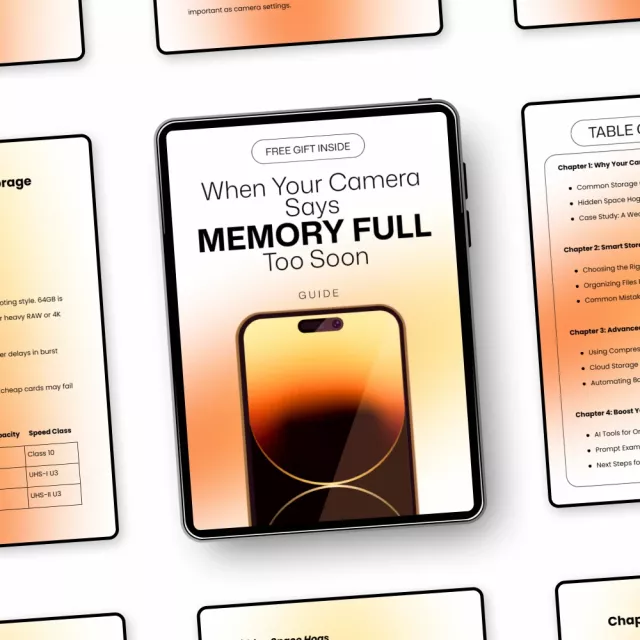
Stop Losing Shots to Full Memory Cards
Nothing kills creative momentum faster than seeing “memory full” in the middle of a shoot. When Your Camera Says “Memory Full” Too Soon is a practical, easy-to-follow digital guide designed to help photographers take back control of their camera storage, streamline their workflow, and shoot with confidence. Whether you’re capturing everyday moments or high-pressure events, this guide shows you exactly why storage fills up so fast—and what to do about it.
What’s Inside This Digital Download
- Chapter 1: Why Your Camera Storage Fills Up Fast
- Common Storage Culprits and Hidden Space Hogs
- Case Study: A Wedding Shoot Nightmare
- Chapter 2: Smart Storage Management
- Choosing the Right SD Card
- Organizing Files Efficiently
- Common Mistakes to Avoid
- Chapter 3: Advanced Tricks to Free Up Space
- Using Compression Without Losing Quality
- Cloud Storage Options and Automating Backups
- Chapter 4: Boost Your Workflow with AI
- AI Tools for Organizing and Compressing Photos
- Prompt Examples for ChatGPT and Midjourney
- Next Steps for Smarter Storage
Why You’ll Love This Guide
- Save space without sacrificing image quality
- Avoid missed shots caused by poor storage planning
- Build a faster, cleaner photography workflow
- Learn how AI can simplify photo organization
- Apply tips immediately, even if you’re not tech-savvy
Who This Is For & What Makes It Different
This guide is perfect for hobbyist photographers, content creators, and professionals who rely on digital cameras and SD cards. Unlike generic photography eBooks, When Your Camera Says “Memory Full” Too Soon focuses specifically on real-world storage problems, practical fixes, and modern AI-powered solutions—without jargon or fluff. It combines technical know-how, relatable examples, and future-ready tools in one concise digital download.
Download Today & Shoot Without Limits
Don’t let storage issues hold back your creativity. Download When Your Camera Says “Memory Full” Too Soon today and start shooting smarter, faster, and stress-free. This is a digital product—instant access, no waiting, and lifetime value for every shoot ahead.
Order cancellation
All orders can be cancelled until they are shipped. If your order has been paid and you need to make a change or cancel an order, you must contact us within 12 hours. Once the packaging and shipping process has started, it can no longer be cancelled.
Refunds
Your satisfaction is our #1 priority. Therefore, you can request a refund or reshipment for ordered products if:
- If you did not receive the product within the guaranteed time( 45 days not including 2-5 day processing) you can request a refund or a reshipment.
- If you received the wrong item you can request a refund or a reshipment.
- If you do not want the product you’ve received you may request a refund but you must return the item at your expense and the item must be unused.
We do not issue the refund if:
- Your order did not arrive due to factors within your control (i.e. providing the wrong shipping address)
- Your order did not arrive due to exceptional circumstances outside the control of Salvatia (i.e. not cleared by customs, delayed by a natural disaster).
- Other exceptional circumstances outside the control of https://salvatia.com
*You can submit refund requests within 15 days after the guaranteed period for delivery (45 days) has expired. You can do it by sending a message on Contact Us page
If you are approved for a refund, then your refund will be processed, and a credit will automatically be applied to your credit card or original method of payment, within 14 days.
Exchanges
If for any reason you would like to exchange your product, perhaps for a different size in clothing. You must contact us first and we will guide you through the steps.
Please do not send your purchase back to us unless we authorise you to do so.
Your files will be available to download once payment is confirmed.